How to Design Your Own Leavers Shirts: A Step-by-Step Guide
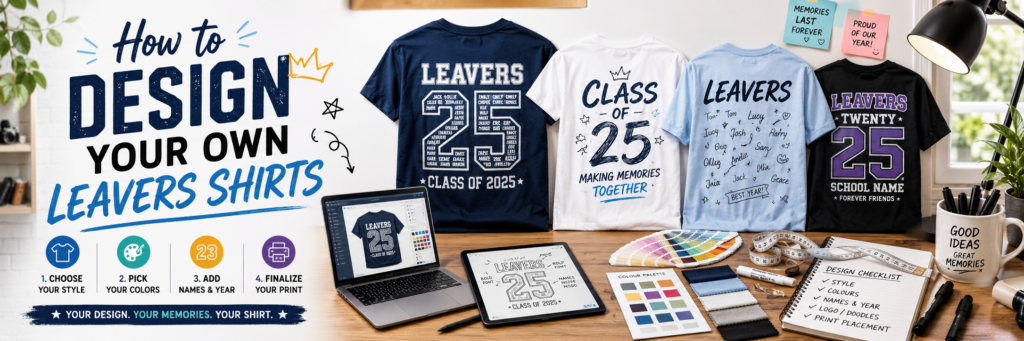
Designing your own leavers shirt is one of the best ways to create something unique for your class, school or group. Whether you’re creating a Year 6 leavers shirt, a Year 11 design or a personalised shirt for another leaving celebration, you don’t need to be a professional graphic designer to produce an eye-catching design.
With free online tools, AI software and plenty of design inspiration available, creating your own leavers shirt has never been easier. In this guide, we’ll show you where to find ideas, which software to use and how to prepare your design for printing.
Start by Collecting Inspiration
Before opening any design software, spend some time gathering ideas.
Think about the style you want to create.
Popular design features include:
- Graduation year numbers filled with student names
- School logos
- Class names
- Nicknames
- Handwritten signature areas
- Funny class quotes
- Cartoon illustrations
- School mascots
- Colour themes
- Personalised back prints
Looking at existing designs often helps you decide what you like and what you don’t.
Use Pinterest for Inspiration
Pinterest is one of the best places to discover creative leavers shirt designs.
Search for terms such as:
- Leavers Shirt Ideas
- Year 6 Leavers Shirts
- Year 11 Leavers Shirts
- Graduation Shirt Designs
- School Leavers Shirts
- Custom T-Shirt Designs
Create a mood board by saving your favourite ideas. This makes it much easier when you start designing your own shirt.
You can also browse our own Leavers Shirt Ideas gallery for professionally designed examples that can be personalised for your school or group.
Design Your Shirt with Canva
Canva is one of the easiest free design tools available.
Even if you’ve never created artwork before, you can quickly build a professional-looking design using drag-and-drop tools.
With Canva you can:
- Add text
- Upload school logos
- Insert photographs
- Choose colours
- Create custom graphics
- Export high-quality files
The free version includes everything most schools need for creating simple leavers shirt artwork.
If you’re designing for print, remember to export your file at the highest possible quality.
Use ChatGPT to Generate Creative Ideas
If you’re struggling to think of a design, ChatGPT can help generate ideas in seconds.
Try asking questions like:
- “Give me 20 leavers shirt design ideas.”
- “Create a funny Year 11 leavers shirt slogan.”
- “Suggest colour schemes for a school leavers hoodie.”
- “Generate creative graduation shirt quotes.”
- “Design a shirt using our school mascot.”
You can also ask ChatGPT to write personalised messages, farewell quotes, class mottos or creative text for the back of your shirt.
AI is an excellent starting point when you’re facing designer’s block.
Create Artwork with AI Image Generators
If you want custom illustrations, AI image generators can produce unique artwork based on a simple text prompt.
These tools can create:
- Cartoon characters
- Graduation illustrations
- School mascots
- Decorative graphics
- Background patterns
- Celebration artwork
Remember to download the highest-quality version available and check that you have permission to use the generated image for printing.
Choose Colours Carefully
Think about colours before finalising your design.
Many schools choose colours that match:
- School uniforms
- House colours
- School logo
- Sports teams
If you’re printing onto coloured garments, remember that some colours work better together than others.
Simple colour combinations often produce the best results.
Make Sure Everyone Is Included
Before sending your design for printing, double-check that you’ve included:
- Student names
- Teacher names (if required)
- Correct graduation year
- Accurate spelling
- School logo
- Class names
- Tutor groups
Small spelling mistakes are much easier to fix before printing than afterwards.
Save Your Artwork in the Right Format
For the best print quality, save your design as:
- PNG (high resolution with a transparent background if possible)
- SVG (for vector artwork)
- AI or EPS (if available)
Avoid sending screenshots or low-resolution images, as these may not print clearly.
Need Help? Let Our Designers Do the Hard Work
If designing your own leavers shirt feels overwhelming, don’t worry, we’re here to help.
At Leavers Shirts, we offer a complete in-house design service. Simply send us your ideas, school logo, names or rough sketch, and our experienced designers will create a professional design for you.
Every order includes:
- Free professional design service
- Free digital mock-up before printing
- Unlimited design amendments before approval
- AI-generated artwork accepted
- Transparent background printing where suitable
- Free 2 working day UK delivery
- Same-day printing available in London
Whether you’ve created a finished design in Canva or only have a simple idea, we’ll make sure your artwork is ready for professional printing.
Final Thoughts
Designing your own leavers shirt is a fun way to celebrate your school journey while creating a keepsake you’ll remember for years to come. With free tools like Canva, creative inspiration from Pinterest and AI assistance from ChatGPT, anyone can create an impressive design without needing advanced graphic design skills.
If you’d rather leave the design work to the professionals, our experienced team is always happy to help. You can also browse our Leavers Shirt Ideas gallery for inspiration before ordering your personalised Leavers Shirts, Leavers Hoodies or other personalised leavers products.
No matter which option you choose, planning your design early gives you plenty of time to perfect every detail before your leavers celebration.